
Course funding
SkillsFuture Singapore (SSG) Funding
What is SSG Funding?
Level up your skills with SkillsFuture Singapore (SSG) Funding!
This government initiative empowers individuals and businesses to invest in lifelong learning, building a future-proof Singapore workforce. Sapience Consulting offers courses approved for SSG-funding with subsidies up to 70% for eligible participants.
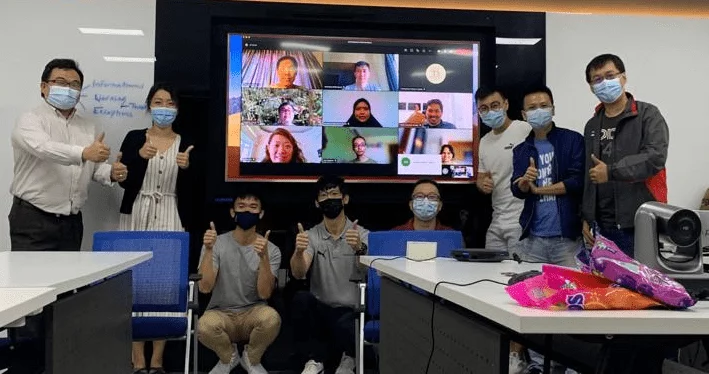

Our Courses with SSG Funding Support
Data Analytics, IT Management, Governance and Regulatory Compliance, Business Development and Strategy Management
(Funding support from 1 Jan 2024)
Certified Information Systems Security Professional (CISSP)
Certified Cloud Security Professional (CCSP)
Certified in Risk and Information Systems Control (CRISC)
Certified Information Systems Auditor (CISA)
Certified Information Security Manager (CISM)
Certified Cybersecurity Operations Analyst™ (CCOA)
Advanced in AI Security Management™ (AAISM™)
ISO/IEC27001 Auditor (ISO27K-A)
ITIL® Foundation (ITIL FND)
ITIL®4 Specialist: Monitor, Support and Fulfil (ITIL MSF)
ITIL®4 Specialist: Plan, Implement and Control (ITIL PIC)
ITIL®4 Specialist: Collaborate, Assure and Improve (ITIL CAI)
Certified in Governance, Risk and Compliance (CGRC)
COBIT® 2019 Foundation (COBIT2019-F)
Advanced in AI Audit™ (AAIA)
Certified Chief Information Security Officer (C|CISO)
SSG Funding FAQ
SSG Course Fee Funding and Elegibility
For Self-Sponsored Individuals or Company-Sponsored Individuals :
- Singapore Citizen (SCs) and Permanent Residents (PRs) ≤ 40 years old
(Self-sponsored individuals must be at least 21 years old) will benefit funding up to 50% of course fees. - Singapore Citizens (SCs) aged ≥ 40 years old – (SkillsFuture Mid-Career Enhanced Subsidy) – Up to 70% of course fees.
Are there any attendance performance requirements for receiving SSG funding?
Sapience require 75% training attendance and passing the prescribed assessment(s) to receive a Certificate of Attendance for the course.
Candidates must pass all prescribed tests/assessments and attain 100% competency to be eligible for funding support.
What happens to the cost of a training course after applying for SkillsFuture Singapore (SSG) funding?
After applying SSG funding and any applicable SkillsFuture Credit, you’ll only need to pay the remaining balance (net course fee).
Is SkillsFuture Credit stackable with SSG funding for training courses?
Absolutely! SkillsFuture Credit can be used on top of existing SSG course fee subsidies to help you maximise your funding for approved training programs.
How to access my Statement of Attainment (SOA) certificate from MySkillsFuture?
Your Statement of Attainment (SOA) is issued electronically by SkillsFuture Singapore (SSG) and can be downloaded from the MySkillsFuture portal.
Please follow the steps below:
Step 1: Log in to MySkillsFuture
Click Login at the top right corner.
Log in using your Singpass.
Step 2: Access Your Certificates
After logging in, click on your profile name (top right corner).
Select “My Certificates” from the dropdown menu.
(In some versions, this may appear as “My Skills Passport”.)
Step 3: Download Your Statement of Attainment
Locate the relevant course under your list of certifications.
Click on the Statement of Attainment.
Download and save the certificate as a PDF for your records.
Important Notes
Your SOA will typically be available within 1–3 weeks after successful course completion and submission to SSG.
If you do not see your certificate after this period, please contact us for assistance.
Ensure your Singpass account is active before attempting to log in.”
Funding Available
Terms and conditions apply.

Please visit our IBF STS programme page for full details. PSEA page for more info.
Terms and conditions apply.

Please visit our SkillsFuture Credit page for full details.
Terms and conditions apply.
NTUC members can use the Union Training Assistance Programme (UTAP) to partially cover the cost of their training.
Visit our UTAP page for more info.
Terms and conditions apply.